
Wings1.0.0.6 - Google Play
You'll be able to see results in few seconds.
Publisher Description
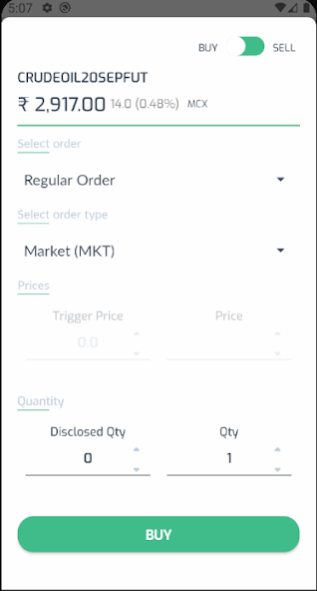
# WINGS - Best platform to Trade with Technology
Wings app allows people to analyze and trade with financial instrument in exchange(MCX).
View real-time market data, analyze market and instruments with easy-to-follow tools, place orders with a few taps, and evaluate your portfolio and useful News feeds.It helps people Trading & Brokerage.
Key Highlights :-
* Use cutting edge charting tools which are above industry standards
* Live streaming data
* Multiple market watch and live market depths
* Advanced chart with 100+ indicators
* Get real-time market data at blazing fast speed
* Create personalized market watch list
* Get search suggestions as you type instrument name
* Analyze instruments with market depth and news
* Real time charts with multi time frame conversion,technical indicators,drawing tools
* Place orders in MCX
* Create charts with multiple intervals, drawing studies and types
* Place market, limit, stop loss, cover.
* Exit positions at right time with price alerts
* Convert and square-off positions
* Transfer funds to your account
* Set unlimited number of price alerts for instant updates
*Keep your Android System WebView up-to-date for the best experience.
*If you are facing any issues regarding app , kindly contact our customer support desk on app@tradewings.solutions. We would surely like to help you.
Download and install the app now. It is fast, easy-to-use and completely FREE !
About Wings
The company that develops Wings is Tradewing. The latest version released by its developer is 1.0.0.6.
To install Wings on your Android device, just click the green Continue To App button above to start the installation process. The app is listed on our website since 2023-01-24 and was downloaded 0 times. We have already checked if the download link is safe, however for your own protection we recommend that you scan the downloaded app with your antivirus. Your antivirus may detect the Wings as malware as malware if the download link to solutions.tradewings.wings is broken.
How to install Wings on your Android device:
- Click on the Continue To App button on our website. This will redirect you to Google Play.
- Once the Wings is shown in the Google Play listing of your Android device, you can start its download and installation. Tap on the Install button located below the search bar and to the right of the app icon.
- A pop-up window with the permissions required by Wings will be shown. Click on Accept to continue the process.
- Wings will be downloaded onto your device, displaying a progress. Once the download completes, the installation will start and you'll get a notification after the installation is finished.
Program Details
System requirements
Download information
Pricing
Version History
version 1.0.0.6
posted on 2023-01-24
- Add margin calculator
version 1.0.0.4
posted on 2021-06-17
Forgot two fa issue fixed
In-app feedback implemented
Slow internet issues fixed
version 1.0.0.2
posted on 2021-05-25
In-app feedback implemented
Slow internet issues fixed
New trading app
version 1.0.0.0
posted on 2020-10-19
New trading app
Disclaimer
Official Google Play Link
We do not host Wings on our servers. We did not scan it for viruses, adware, spyware or other type of malware. This app is hosted by Google and passed their terms and conditions to be listed there. We recommend caution when installing it.
The Google Play link for Wings is provided to you by apps112.com without any warranties, representations or guarantees of any kind, so access it at your own risk.
If you have questions regarding this particular app contact the publisher directly. For questions about the functionalities of apps112.com contact us.
